
Secure Your Account with Passkeys
In our ongoing efforts to ensure the security of your funds and personal information, we have added Passkeys as a new way to log into our website. Note that this is an optional method and must be set up in order for it to take effect.
What is a Passkey?
Passkeys are a modern login method that replaces passwords with cryptographic keys stored securely on your device. Instead of typing a password, you sign in using biometrics (like fingerprint or face), a PIN, or device unlock. They are more secure than passwords because the secret key never leaves your device and cannot be phished or reused.
How do I enable Passkeys on my Trader’s Way Account?
1) Log into your Private Office on our website and click ‘Edit Profile’ at the top-center of the screen.
2) Click on Passwordless Login on the left menu as shown.
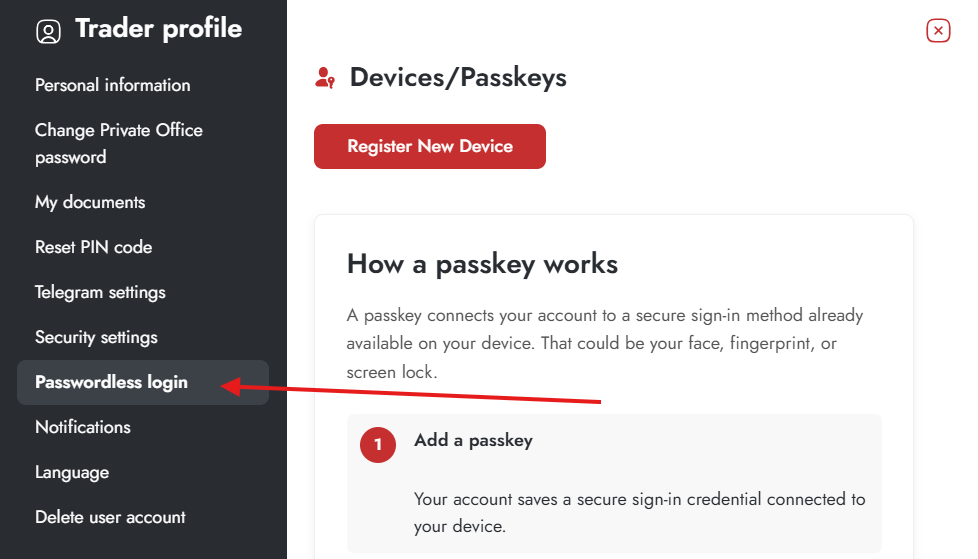
3) You can read a little about Passkeys on this page. If you wish to set a Passkey then scroll down to the bottom of the page and click ‘Register New Device’.
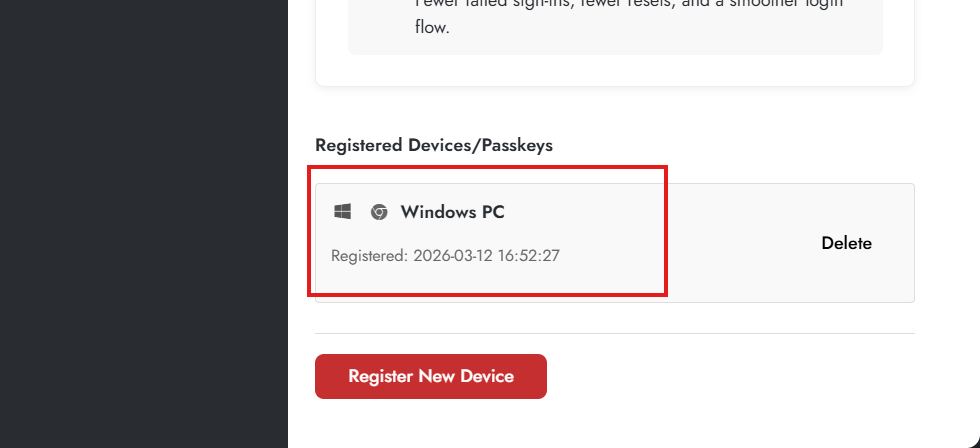
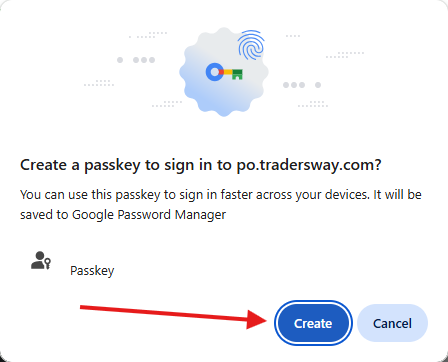
4) You will be given several prompts to create the Passkey. This example is shown using Chrome browser on a desktop PC but the process is analogous on any other modern device.
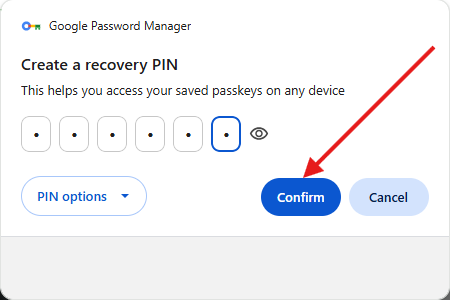
5) Create a recovery PIN in the event that you lose access to your device later.
6) That’s it! Your Passkey has been created and your device is now listed as Registered. You can register additional devices so you can access your account from desktop and mobile as you see fit. Note that Passkeys are only available for logging into our website and securing your account information, funds and information on your trading accounts. This security method is not yet available for the MT4 & MT5 platforms.